Imagine a database that scales instantly, guarantees performance, and works seamlessly across the globe. That’s not science fiction—it’s Azure Cosmos DB, Microsoft’s globally distributed, multi-model database service designed for modern, high-performance applications.



What Is Azure Cosmos DB?

Azure Cosmos DB is Microsoft’s flagship NoSQL database service on the Azure cloud platform. It’s engineered from the ground up to support planet-scale applications with low latency, high availability, and seamless scalability. Unlike traditional databases that require complex sharding or replication setups, Cosmos DB handles all of that automatically, making it a go-to solution for developers building globally distributed systems.
Core Definition and Purpose
Azure Cosmos DB is a fully managed, multi-model database that supports document, key-value, graph, and column-family data models. Its primary purpose is to enable developers to build responsive, scalable applications that can serve users anywhere in the world with consistent performance. Whether you’re running a real-time gaming backend, a global e-commerce platform, or an IoT data pipeline, Cosmos DB is built to handle it.
- Supports multiple APIs: SQL (Core), MongoDB, Cassandra, Gremlin, and Table.
- Designed for 99.999% high availability.
- Offers single-digit millisecond latencies at the 99th percentile.
“Azure Cosmos DB is the world’s first globally distributed, multi-model database service.” — Microsoft Azure Documentation
Evolution from Project Florence
Cosmos DB originated from Microsoft’s internal project called “Florence,” which was developed to power large-scale services like Azure, Xbox Live, and Office 365. Recognizing the need for a database that could scale globally while maintaining consistency and speed, Microsoft launched Cosmos DB in 2017 as a public cloud service. Since then, it has evolved into one of the most advanced cloud-native databases available, continuously integrating new features like serverless mode, autoscale, and enhanced analytics.
Azure Cosmos DB Key Features
The power of Azure Cosmos DB lies in its rich set of features designed for modern application development. These aren’t just buzzwords—they’re battle-tested capabilities used by enterprises worldwide to deliver fast, reliable, and scalable experiences.
Global Distribution with One-Click Setup
One of the most compelling features of Azure Cosmos DB is its ability to replicate data across multiple Azure regions with just a few clicks. You can configure geo-replication in the Azure portal, and Cosmos DB automatically handles data synchronization, failover, and traffic routing.
- Available in over 60 Azure regions worldwide.
- Automatic failover with user-defined priorities.
- Multi-homing support for clients to connect to the nearest region.
This global distribution is not just about redundancy—it’s about performance. Users in Tokyo, New York, and London can all access the same data with low latency because their requests are routed to the closest replica.
Guaranteed Low Latency and High Throughput
Azure Cosmos DB guarantees single-digit millisecond response times for reads and writes at the 99th percentile. This is backed by Service Level Agreements (SLAs), which is rare in the database world. It achieves this through a combination of SSD storage, intelligent caching, and a globally distributed architecture.
- 99.999% availability for both read and write operations.
- Throughput measured in Request Units (RUs) that can be scaled up or down on demand.
- Consistent performance even under heavy load.
For developers, this means predictable performance without the need for constant tuning or infrastructure management.
Understanding Azure Cosmos DB Data Models and APIs
Unlike traditional databases that lock you into a single data model, Azure Cosmos DB supports multiple data models through different APIs. This flexibility allows developers to choose the best tool for their specific use case without sacrificing performance or scalability.
SQL (Core) API for Document Data
The SQL API is the native API for Azure Cosmos DB and is optimized for JSON document storage and querying. It supports SQL-like syntax for querying documents, making it easy for developers familiar with relational databases to get started.
- Stores data as JSON documents in containers.
- Supports rich queries with filtering, sorting, and aggregation.
- Indexing is automatic and customizable.
For example, you can query for all users in a specific region with a simple SQL statement: SELECT * FROM users u WHERE u.region = "West US".
MongoDB API for Compatibility
The MongoDB API allows existing MongoDB applications to run on Azure Cosmos DB with minimal or no code changes. It supports MongoDB wire protocol and common drivers, making migration straightforward.
- Compatible with MongoDB 3.2, 3.6, 4.0, and 4.2.
- Supports most MongoDB commands and aggregation pipelines.
- Enables lift-and-shift migration from on-premises or other cloud MongoDB instances.
This is particularly useful for organizations already invested in the MongoDB ecosystem but seeking better scalability and global distribution.
Cassandra, Gremlin, and Table APIs
Beyond document databases, Azure Cosmos DB supports other popular NoSQL models:
- Cassandra API: For wide-column stores, ideal for time-series data and high-write workloads.
- Gremlin API: For graph databases, enabling complex relationship queries (e.g., social networks, fraud detection).
- Table API: For simple key-value storage, compatible with Azure Table Storage but with enhanced scalability.
Each API leverages the same underlying Cosmos DB engine, ensuring consistent performance and global distribution regardless of the model used.
Performance and Scalability in Azure Cosmos DB
Performance and scalability are at the heart of Azure Cosmos DB’s design. It’s not just about handling more data—it’s about doing so without compromising speed or reliability.
Request Units (RUs) and Throughput Management
Azure Cosmos DB uses Request Units (RUs) as a measure of database throughput. One RU represents the cost of reading a 1KB document. All operations—reads, writes, queries, and stored procedures—are measured in RUs.
- You provision RUs based on your application’s needs.
- RUs can be allocated at the container or database level.
- Cost scales with usage, making it predictable and manageable.
For example, a write operation typically costs 5–10 RUs, while a complex query might cost 50+ RUs depending on the data scanned.
Autoscale and Serverless Modes
To simplify capacity planning, Azure Cosmos DB offers two modern provisioning models:
- Autoscale: Automatically scales throughput based on traffic, from 10% to 100% of the maximum provisioned RUs. This is ideal for applications with variable workloads.
- Serverless: Charges only for the RUs consumed during actual operations, with no pre-provisioned capacity. Perfect for sporadic or unpredictable traffic patterns.
These modes reduce operational overhead and cost, especially for startups and development teams.
Partitioning and Horizontal Scaling
Cosmos DB automatically partitions data across multiple physical servers to ensure scalability. You define a partition key (e.g., user ID, region) that determines how data is distributed.
- Each partition can handle up to 20 GB of data and 10,000 RUs.
- Automatic rebalancing occurs as data grows.
- Poor partition key choice can lead to “hot” partitions and performance bottlenecks.
Choosing the right partition key is critical for optimal performance and cost efficiency.
Azure Cosmos DB Consistency Levels
One of the standout features of Azure Cosmos DB is its tunable consistency levels. Unlike most databases that offer only strong or eventual consistency, Cosmos DB provides five distinct levels, allowing developers to balance performance and data accuracy.
Strong, Bounded Staleness, Session, Consistent Prefix, and Eventual
The five consistency levels are:
- Strong: Linearizable consistency—reads always return the most recent committed version.
- Bounded Staleness: Reads lag behind writes by a configurable number of versions or time interval.
- Session: Consistency within a single client session—most common for web apps.
- Consistent Prefix: Updates are seen in order, but reads may not reflect the latest writes.
- Eventual: No ordering guarantee; replicas eventually converge.
Strong consistency is ideal for financial systems, while eventual consistency suits high-read, low-latency scenarios like content feeds.
Impact on Performance and Availability
Higher consistency levels (like Strong) require more coordination between replicas, which can increase latency. Lower levels (like Eventual) offer faster reads but with the risk of stale data.
- Session consistency offers the best balance for most applications.
- You can change consistency levels per account without downtime.
- Global applications often use session consistency to ensure user experience consistency.
This flexibility is a game-changer, allowing developers to tailor consistency to their application’s needs.
Security and Compliance in Azure Cosmos DB
Security is not an afterthought in Azure Cosmos DB—it’s built into every layer of the service. From encryption to access control, Cosmos DB ensures your data is protected at rest and in transit.
Data Encryption and Network Security
All data in Azure Cosmos DB is encrypted by default:
- At rest using Microsoft-managed keys or customer-managed keys (CMK) via Azure Key Vault.
- In transit using TLS 1.2 or higher.
- Supports private endpoints to isolate database traffic within a virtual network.
You can also enable firewall rules to restrict access to specific IP addresses or subnets.
Role-Based Access Control (RBAC) and Identity Management
Azure Cosmos DB integrates with Azure Active Directory (Azure AD) for identity management. You can assign roles like DocumentDB Account Contributor or create custom roles with granular permissions.
- Supports both Azure AD and primary/secondary keys for authentication.
- Resource tokens allow fine-grained access to specific containers or documents.
- Audit logs are available via Azure Monitor for compliance tracking.
This makes it easier to meet regulatory requirements like GDPR, HIPAA, and SOC 2.
Monitoring, Troubleshooting, and Optimization
Even the best database needs monitoring and optimization. Azure Cosmos DB provides robust tools to help you maintain peak performance and quickly resolve issues.
Azure Monitor and Metrics Dashboard
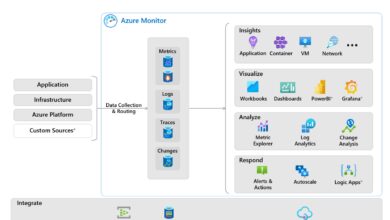
Azure Monitor integrates with Cosmos DB to provide real-time insights into performance, throughput, and errors.
- Track metrics like RU consumption, latency, and storage usage.
- Set up alerts for high RU usage or throttling events.
- Use Log Analytics to query diagnostic logs.
The Cosmos DB Metrics dashboard in the Azure portal gives a visual overview of your database’s health.
Diagnosing Throttling and High Latency
Common issues include:
- Throttling (429 errors): Occurs when RU budget is exceeded. Solution: Scale up RUs or optimize queries.
- High latency: May be due to poor partitioning, inefficient queries, or client location. Use the Query Explorer to analyze execution metrics.
- Hot partitions: Caused by uneven data distribution. Re-evaluate your partition key strategy.
The Azure Cosmos DB troubleshooting guide provides step-by-step solutions.
Query Optimization and Indexing Strategies
Efficient queries are crucial for performance. Cosmos DB uses automatic indexing by default, but you can customize it to improve speed and reduce RU costs.
- Exclude unnecessary paths from indexing to save storage and RUs.
- Use composite indexes for queries with multiple filters.
- Avoid cross-partition queries when possible—they consume more RUs.
The Cosmos DB query performance guide offers best practices for writing efficient SQL queries.
Use Cases and Real-World Applications of Azure Cosmos DB
Azure Cosmos DB isn’t just a theoretical solution—it’s powering real-world applications across industries. From gaming to healthcare, its flexibility and performance make it a top choice for modern developers.
Global E-Commerce Platforms
Large e-commerce sites use Cosmos DB to manage product catalogs, user sessions, and shopping carts across regions. With low-latency access and high availability, customers experience fast load times regardless of location.
- Stores product data in JSON format for easy updates.
- Uses session consistency to ensure cart accuracy during checkout.
- Scales automatically during peak events like Black Friday.
Companies like Conacyt in Mexico have leveraged Cosmos DB to modernize their retail platforms.
IoT and Real-Time Data Processing
IoT applications generate massive volumes of time-series data. Cosmos DB’s Cassandra API is ideal for ingesting and querying this data at scale.
- Handles millions of device telemetry events per second.
- Supports time-to-live (TTL) for automatic data expiration.
- Integrates with Azure Stream Analytics for real-time insights.
For example, a smart city project might use Cosmos DB to monitor traffic sensors and optimize signal timing in real time.
Gaming and Social Networks
Online games and social platforms require low-latency access to user profiles, leaderboards, and friend networks. Cosmos DB’s Gremlin API enables complex graph queries, while the SQL API handles user data.
- Stores player stats and game state with millisecond latency.
- Supports real-time leaderboards using change feed processors.
- Enables social graph traversal for friend-of-a-friend recommendations.
Game developers benefit from global distribution, ensuring players in Asia and Europe have the same experience.
What is Azure Cosmos DB used for?
Azure Cosmos DB is used for building globally distributed, low-latency applications such as e-commerce platforms, IoT systems, gaming backends, and real-time analytics. Its multi-model support allows it to handle diverse data types efficiently.
How does Azure Cosmos DB ensure high availability?
Azure Cosmos DB guarantees 99.999% availability for both reads and writes by replicating data across multiple Azure regions, offering automatic failover, and running on a fault-tolerant infrastructure managed by Microsoft.
What are Request Units (RUs) in Azure Cosmos DB?
Request Units (RUs) are the measure of throughput in Azure Cosmos DB. They represent the computational cost of database operations like reads, writes, and queries. You provision RUs based on your workload, and they scale with demand.
Can I migrate my MongoDB application to Azure Cosmos DB?
Yes, you can migrate your MongoDB application to Azure Cosmos DB using the MongoDB API. It supports MongoDB wire protocol and common drivers, allowing most applications to switch with minimal code changes.
Is Azure Cosmos DB serverless?
Yes, Azure Cosmos DB offers a serverless mode that charges only for the RUs consumed during actual operations, making it ideal for applications with sporadic or unpredictable traffic patterns.
In conclusion, Azure Cosmos DB stands out as a powerful, flexible, and highly performant database service for modern cloud applications. Its global distribution, multi-model support, tunable consistency, and seamless scalability make it a top choice for developers building planet-scale systems. Whether you’re managing IoT data, powering a global e-commerce site, or developing a real-time game, Cosmos DB provides the tools and reliability needed to succeed. With robust security, comprehensive monitoring, and cost-effective provisioning models like autoscale and serverless, it’s not just a database—it’s a strategic advantage in the cloud era.
Recommended for you 👇
Further Reading: