Welcome to the world of real-time data streaming, where Azure Event Hubs stands as a game-changer. Whether you’re building IoT systems, analytics pipelines, or event-driven microservices, this guide dives deep into how Azure Event Hubs empowers scalable, reliable, and lightning-fast data ingestion.



What Is Azure Event Hubs and Why It Matters

Azure Event Hubs is Microsoft’s fully managed, real-time data ingestion service designed to handle millions of events per second from diverse sources like IoT devices, applications, and sensors. It acts as a central nervous system for event-driven architectures in the cloud.
The Core Purpose of Azure Event Hubs
At its heart, Azure Event Hubs is built for one primary mission: to collect, process, and route massive streams of event data in real time. This makes it ideal for scenarios where immediate data availability is critical, such as monitoring systems, fraud detection, or live dashboards.
- Acts as a bridge between data producers and consumers
- Supports high-throughput ingestion with low latency
- Enables decoupling of data production and consumption
Unlike traditional messaging systems, Azure Event Hubs is optimized for streaming workloads rather than point-to-point messaging. It’s not just about sending messages—it’s about creating a continuous flow of information that can be consumed by multiple downstream systems simultaneously.
How Azure Event Hubs Fits into Modern Cloud Architecture
In today’s microservices and serverless environments, systems need to communicate asynchronously and scale independently. Azure Event Hubs plays a pivotal role by acting as a central event broker.
For example, when a user places an order in an e-commerce app, that action can generate an event sent to Event Hubs. From there, multiple services—like inventory management, payment processing, and analytics—can consume that event without being directly coupled to the source.
“Event Hubs is the backbone of event-driven systems on Azure, enabling organizations to build responsive, scalable, and resilient applications.” — Microsoft Azure Documentation
This architectural pattern enhances fault tolerance and allows teams to innovate faster by reducing dependencies between services.
Key Features That Make Azure Event Hubs Stand Out
Azure Event Hubs isn’t just another messaging queue—it’s a robust platform engineered for performance, scalability, and integration. Let’s explore the standout features that make it a top choice for enterprise-grade streaming.
Massive Scale and High Throughput
One of the most compelling reasons to choose Azure Event Hubs is its ability to handle enormous volumes of data. With support for millions of events per second, it’s built to scale elastically based on demand.
Throughput units (TUs) are the measure of capacity in Event Hubs. Each TU allows up to 1 MB per second or 1,000 events per second for ingress, and double that for egress. You can start small and scale up automatically or manually as your workload grows.
- Auto-inflate feature dynamically increases throughput units up to a set limit
- No downtime during scaling operations
- Ideal for unpredictable traffic spikes, such as Black Friday sales or IoT bursts
This scalability ensures that your system remains responsive even under extreme load, making Azure Event Hubs a reliable choice for mission-critical applications.
Low Latency and Real-Time Processing
Speed is everything in real-time analytics. Azure Event Hubs delivers ultra-low latency, often under 100 milliseconds, from event ingestion to availability for consumption.
This is achieved through a distributed architecture that minimizes bottlenecks and leverages Azure’s global network infrastructure. Events are stored durably in partitions and made available almost instantly to consumers using protocols like AMQP and Kafka.
For time-sensitive applications—like detecting anomalies in financial transactions or tracking vehicle locations in logistics—this near-instant availability is crucial.
“With Event Hubs, we reduced our data pipeline latency from minutes to under a second.” — Senior Cloud Engineer, Global Logistics Firm
Native Integration with Kafka and Open Standards
Azure Event Hubs supports Apache Kafka 1.0 and later versions natively, allowing organizations to migrate their existing Kafka applications to Azure without code changes.
This means you can use Kafka producers and consumers to connect directly to Event Hubs using the same endpoints, ports, and protocols. It’s a huge advantage for companies looking to leverage Azure’s managed services while maintaining compatibility with open-source ecosystems.
- Supports Kafka clients in Java, Python, .NET, and more
- No need to manage Kafka clusters or ZooKeeper
- Seamless hybrid scenarios with Confluent or on-prem Kafka
Learn more about Kafka integration in the official Microsoft documentation.
Core Components of Azure Event Hubs Architecture
To truly understand how Azure Event Hubs works, it’s essential to break down its architectural components. Each piece plays a vital role in ensuring reliability, performance, and flexibility.
Event Producers and Consumers
Event producers are applications or devices that generate and send data to Event Hubs. These can include IoT sensors, web apps, mobile clients, or backend services.
On the receiving end, event consumers are applications that read and process the data. Common consumers include Azure Stream Analytics, Azure Functions, Apache Spark on Databricks, or custom applications using the Event Hubs SDK.
Producers send events using HTTPS or AMQP, while consumers typically use the Event Processor Host (EPH) or the newer EventProcessorClient to read from partitions reliably.
Partitions and Event Retention
Each Event Hub is divided into one or more partitions, which act as ordered, immutable sequences of events. Partitions enable parallelism—multiple consumers can read from different partitions simultaneously, increasing throughput.
By default, Event Hubs retains events for 1 day, but this can be extended up to 7 days (or longer with Azure Data Lake or Blob Storage integration via Capture). This retention window allows late-joining consumers to catch up on historical data.
- Partition count is set at creation and cannot be changed
- Recommended to estimate peak throughput and choose partitions accordingly
- Each partition supports up to 1 TU of ingress capacity
For example, if you expect 5 MB/s of incoming data, you’d need at least 5 partitions (assuming 1 MB/s per TU).
Consumer Groups and Offset Tracking
A consumer group is a view of an entire event stream. Multiple consumer groups allow different applications to read the same stream independently, each maintaining their own position (offset) in the stream.
This is incredibly useful for scenarios where one team wants to run real-time analytics while another stores data for long-term reporting—all from the same Event Hub.
The offset is a unique identifier for each event within a partition, and the consumer group tracks the last read position. If a consumer restarts, it can resume from where it left off, ensuring no data loss or duplication.
“Consumer groups are like TV channels—you can watch the same broadcast on multiple screens with different settings.”
How Azure Event Hubs Compares to Alternatives
While Azure Event Hubs is powerful, it’s not the only option available. Understanding how it stacks up against alternatives helps you make informed architectural decisions.
Azure Event Hubs vs. Azure Service Bus
Both are messaging services, but they serve different purposes. Azure Service Bus is designed for enterprise integration with features like queues, topics, and message sessions—ideal for reliable, ordered delivery of individual messages.
In contrast, Azure Event Hubs is built for high-volume event streaming. It prioritizes throughput and parallelism over message-level guarantees.
- Event Hubs: High-throughput, event streaming, multiple consumers
- Service Bus: Message queuing, guaranteed delivery, transactions
If you need to process thousands of sensor readings per second, go with Event Hubs. If you’re processing purchase orders that must be handled exactly once, Service Bus might be better.
Azure Event Hubs vs. Apache Kafka (Self-Hosted)
Self-managed Kafka offers full control but comes with operational overhead—managing brokers, ZooKeeper, replication, and monitoring.
Azure Event Hubs provides a managed Kafka experience without the infrastructure burden. You get the same protocol compatibility but with built-in scalability, security, and integration with Azure services.
- No need to patch or upgrade Kafka clusters
- Automatic failover and geo-replication options
- Pay-as-you-go pricing vs. fixed infrastructure costs
For teams without dedicated Kafka expertise, Event Hubs reduces complexity significantly.
Azure Event Hubs vs. Amazon Kinesis
Amazon Kinesis is AWS’s equivalent to Azure Event Hubs. Both offer high-throughput event streaming with similar partitioning and retention models.
However, Azure Event Hubs has deeper integration with the broader Azure ecosystem—like Azure Monitor, Logic Apps, and Azure Synapse Analytics. It also offers native Kafka support out of the box, whereas Kinesis requires third-party tools or bridges.
Performance-wise, both are comparable, but choice often comes down to cloud platform preference and existing investments.
“Choosing between Event Hubs and Kinesis is less about features and more about ecosystem alignment.” — Cloud Architecture Consultant
Practical Use Cases for Azure Event Hubs
The true power of Azure Event Hubs shines in real-world applications. Let’s explore some of the most impactful use cases across industries.
IoT and Telemetry Data Ingestion
One of the most common uses of Azure Event Hubs is collecting telemetry data from IoT devices. Whether it’s temperature sensors in a warehouse, GPS trackers on delivery trucks, or smart meters in a city grid, Event Hubs can ingest millions of data points per second.
Once ingested, this data can be processed in real time using Azure Stream Analytics or forwarded to Azure Data Explorer for fast querying.
- Real-time monitoring of equipment health
- Geospatial tracking of assets
- Energy consumption analytics in smart buildings
For example, a utility company uses Azure Event Hubs to collect readings from 500,000 smart meters every minute, enabling dynamic pricing and outage detection.
Real-Time Analytics and Dashboards
Businesses need instant insights to stay competitive. Azure Event Hubs feeds real-time data into analytics engines like Power BI, Azure Synapse, or Elasticsearch.
Imagine an e-commerce platform tracking user clicks, cart additions, and purchases. By streaming this data through Event Hubs, the marketing team can see conversion rates change by the second and adjust campaigns accordingly.
This level of responsiveness was previously impossible with batch processing but is now standard with event-driven architectures.
“We went from daily reports to live dashboards thanks to Azure Event Hubs.” — CTO, Retail Tech Startup
Microservices Communication and Event Sourcing
In microservices architectures, services must communicate without tight coupling. Azure Event Hubs enables event sourcing, where state changes are recorded as a sequence of events.
For instance, when a user updates their profile, an event like UserProfileUpdated is published to Event Hubs. Other services—like notification, recommendation, or audit logging—can react independently.
- Decouples business logic across teams
- Enables audit trails and replayability
- Supports eventual consistency in distributed systems
This pattern improves resilience and makes systems easier to debug and scale.
Getting Started with Azure Event Hubs: A Step-by-Step Guide
Ready to build your first event-driven pipeline? Here’s how to get started with Azure Event Hubs in minutes.
Creating an Event Hub in the Azure Portal
1. Log in to the Azure Portal.
2. Search for “Event Hubs” and select “Event Hubs Namespace”.
3. Click “Create” and fill in the basics: subscription, resource group, namespace name, region, and pricing tier.
4. Choose the Standard or Premium tier based on your needs.
5. After the namespace is created, go inside and create an Event Hub with a name and partition count.
6. Set up shared access policies to generate connection strings for producers and consumers.
You now have a working Event Hub ready to receive data.
Sending Events with .NET or Python
Here’s a simple example using Python to send events:
from azure.eventhub import EventHubProducerClient, EventData

producer = EventHubProducerClient.from_connection_string(
    conn_str="Endpoint=sb://your-namespace.servicebus.windows.net/...",
    eventhub_name="your-event-hub"
)

with producer:
    event_data_batch = producer.create_batch()
    event_data_batch.add(EventData('Hello, Azure Event Hubs!'))
    producer.send_batch(event_data_batch)
For .NET, use the Azure.Messaging.EventHubs NuGet package with similar patterns.
Official SDKs are available for Java, JavaScript, Go, and more. Check the Azure Event Hubs documentation for detailed code samples.
Receiving and Processing Events with Azure Functions
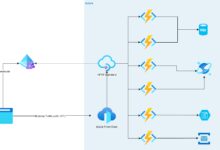
Azure Functions integrates seamlessly with Event Hubs via triggers. You can write a function that executes every time new events arrive.
Example (C#):
[FunctionName("EventHubTrigger")]
public static void Run([EventHubTrigger("hub-name", Connection = "EventHubConnection")] EventData[] events, ILogger log)
{
    foreach (var eventData in events)
    {
        log.LogInformation($"Message: {Encoding.UTF8.GetString(eventData.Body)}");
    }
}
This serverless approach lets you process events without managing infrastructure, scaling automatically with load.
Best Practices for Optimizing Azure Event Hubs Performance
To get the most out of Azure Event Hubs, follow these proven best practices.
Right-Size Throughput Units and Partitions
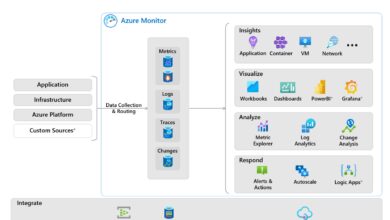
Under-provisioning leads to throttling; over-provisioning increases cost. Monitor metrics like IncomingRequests, ThrottledRequests, and CPUUsage in Azure Monitor.
- Start with auto-inflate enabled to handle traffic spikes
- Use at least as many partitions as your maximum consumer count
- Aim for 70-80% utilization to leave headroom
Regularly review your usage patterns and adjust capacity accordingly.
Use Batched Sending for Higher Efficiency
Sending events one by one is inefficient. Instead, batch multiple events into a single request to reduce overhead and improve throughput.
The Event Hubs SDKs support batch creation with size limits (up to 1 MB per batch). This minimizes network round trips and maximizes resource utilization.
“Batching improved our ingestion speed by 3x with the same throughput units.” — DevOps Lead, SaaS Company
Secure Your Event Hubs with Identity and Access Management
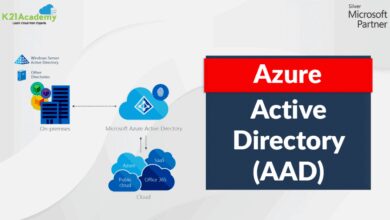
Security is critical. Avoid using shared access signatures (SAS) in production. Instead, use Azure Active Directory (Azure AD) for identity-based access control.
- Assign roles like “Azure Event Hubs Data Sender” to applications
- Integrate with Microsoft Entra ID for authentication
- Enable private endpoints to restrict network access
This approach provides better auditability, least-privilege access, and easier rotation of credentials.
Advanced Capabilities: Capture, Geo-Disaster Recovery, and More
Beyond basic ingestion, Azure Event Hubs offers advanced features for enterprise resilience and data integration.
Event Hubs Capture: Automatic Data Archival
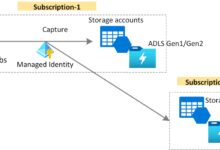
Event Hubs Capture automatically saves streamed data to Azure Blob Storage or Azure Data Lake Storage in Apache Avro format. This enables hybrid batch and real-time processing.
For example, you can process events in real time with Stream Analytics while also archiving them for long-term analysis with Azure Databricks or HDInsight.
- Configure Capture via the portal or ARM templates
- Set time or size-based triggers (e.g., every 5 minutes or 100 MB)
- Supports JSON and Avro formats
This feature eliminates the need for custom archiving solutions and ensures data durability.
Geo-Disaster Recovery with Geo-Replication
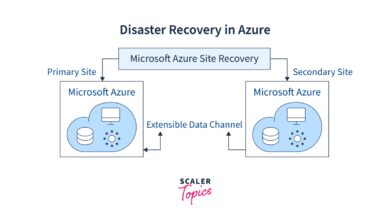
To protect against regional outages, Azure Event Hubs supports geo-disaster recovery. You can pair a primary namespace with a secondary in another region.
In case of failure, you can fail over manually or automate it using health checks and Azure Logic Apps.
- Data is not replicated automatically; only the namespace configuration
- Producers must be configured to switch endpoints during failover
- Supported in Standard and Premium tiers
This setup ensures business continuity for critical data pipelines.
Premium Tier: Dedicated Resources and Enhanced Performance
For mission-critical workloads, the Premium tier offers dedicated clusters with predictable performance, higher throughput, and enhanced security.
Benefits include:
- Up to 100x higher throughput than Standard
- Isolated hardware for compliance and performance
- Support for larger message sizes (up to 1 MB)
- Enhanced monitoring and SLAs
If your organization requires strict SLAs or handles sensitive data, the Premium tier is worth the investment.
What is Azure Event Hubs used for?
Azure Event Hubs is used for ingesting and processing massive streams of real-time data from sources like IoT devices, applications, and sensors. It’s commonly used for telemetry ingestion, real-time analytics, event-driven microservices, and log streaming.
How does Azure Event Hubs support Kafka?
Azure Event Hubs provides native support for Apache Kafka 1.0 and later. You can connect Kafka producers and consumers directly to Event Hubs using the same protocols and ports, enabling migration without code changes.
What is the difference between Event Hubs and Service Bus?
Event Hubs is designed for high-throughput event streaming with millions of events per second, while Service Bus is for reliable message queuing with features like sessions, transactions, and delayed delivery. Choose Event Hubs for streaming; Service Bus for enterprise messaging.
How much does Azure Event Hubs cost?
Pricing depends on the tier (Basic, Standard, Premium) and usage (throughput units, data volume). The Standard tier starts at around $0.028 per hour per TU. The Premium tier is priced per dedicated cluster hour. Check the official pricing page for details.
Can I retain events longer than 7 days?
By default, Event Hubs retains events for up to 7 days. For longer retention, use Event Hubs Capture to automatically export data to Azure Blob Storage or Data Lake, where it can be stored indefinitely.
Azure Event Hubs is a cornerstone of modern data architectures on Microsoft Azure. From its unmatched scalability and Kafka compatibility to its seamless integration with analytics and serverless platforms, it empowers organizations to build responsive, resilient, and future-proof systems. Whether you’re processing IoT telemetry, powering real-time dashboards, or enabling microservices communication, Event Hubs provides the speed, reliability, and flexibility needed to thrive in a data-driven world. By following best practices in provisioning, security, and consumption, you can unlock its full potential and turn raw event streams into actionable intelligence.
Recommended for you 👇
Further Reading: