Ever wondered how cloud environments stay secure and connected? Virtual Networks (VNet) are the invisible backbone making it all possible—offering isolation, control, and scalability in the digital world.



What Are Virtual Networks (VNet)?

Virtual Networks, commonly referred to as VNets, are fundamental building blocks in cloud computing that enable isolated, private environments within a public cloud infrastructure. Think of them as digital replicas of traditional on-premises networks, but with far greater flexibility and scalability. They allow cloud resources like virtual machines (VMs), databases, and applications to communicate securely and efficiently.
Definition and Core Concept
A Virtual Network (VNet) is a logically isolated section of a cloud provider’s network where you can launch and manage cloud resources. It acts as a virtual data center in the cloud, providing a secure and customizable environment. Each VNet operates independently, ensuring that traffic within it remains private and protected from other networks.
- Operates at the network layer (Layer 3) of the OSI model.
- Supports IP address ranges, subnets, and routing rules.
- Enables communication between cloud resources and on-premises systems.
“A Virtual Network is to the cloud what a physical network is to an on-premises data center.” — Microsoft Azure Documentation
How VNet Differs from Physical Networks
While physical networks rely on tangible hardware like routers, switches, and cables, Virtual Networks (VNet) are software-defined. This means they are created, managed, and scaled through code and configuration rather than physical intervention.
- No physical cabling required—everything is virtualized.
- Dynamic scaling: VNets can grow or shrink based on demand.
- Enhanced security through software-defined firewalls and access controls.
For example, in AWS, a VNet is called a Virtual Private Cloud (VPC), while in Azure, it’s simply a Virtual Network. Despite naming differences, the core functionality remains consistent across platforms.
Key Benefits of Virtual Networks (VNet)
Deploying Virtual Networks (VNet) offers numerous advantages for businesses leveraging cloud infrastructure. From improved security to seamless scalability, VNets are essential for modern IT operations.
Enhanced Security and Isolation
One of the most significant benefits of Virtual Networks (VNet) is the ability to isolate workloads. Each VNet acts as a security boundary, preventing unauthorized access from other networks or tenants in the cloud.
- Network segmentation reduces the attack surface.
- Integration with Network Security Groups (NSGs) and firewalls enhances protection.
- Private IP addressing ensures internal traffic doesn’t traverse the public internet.
For instance, Azure allows you to define NSGs to control inbound and outbound traffic to subnets or individual VMs. This granular control is critical for compliance with standards like HIPAA or GDPR.
Scalability and Flexibility
Virtual Networks (VNet) are inherently scalable. You can easily add new subnets, adjust IP ranges, or connect to other VNets without physical constraints.
- Supports auto-scaling groups in cloud environments.
- Can span multiple availability zones for high availability.
- Enables hybrid cloud setups by connecting to on-premises data centers.
According to AWS VPC documentation, VNets can be designed to grow with your business, supporting everything from small applications to enterprise-grade systems.
How Virtual Networks (VNet) Work in Major Cloud Platforms
Different cloud providers implement Virtual Networks (VNet) with slight variations, but the underlying principles remain consistent. Let’s explore how the top three cloud platforms—AWS, Azure, and Google Cloud—handle VNets.
Amazon Web Services (AWS) – Virtual Private Cloud (VPC)
In AWS, the equivalent of a Virtual Network is called a Virtual Private Cloud (VPC). It allows users to define a virtual network environment that closely mirrors a traditional network.
- You can specify IP address ranges using CIDR blocks (e.g., 10.0.0.0/16).
- Subnets can be public (connected to the internet via an Internet Gateway) or private (isolated from direct internet access).
- Route tables determine how traffic flows between subnets and external networks.
AWS VPC also supports advanced features like VPC Peering, Direct Connect, and Transit Gateways for complex networking needs. Learn more at AWS VPC User Guide.
Microsoft Azure – Virtual Network (VNet)
Azure’s implementation of Virtual Networks (VNet) provides similar capabilities with deep integration into the Azure ecosystem.
- Supports IPv4 and IPv6 addressing.
- Allows service endpoints and private endpoints for secure access to Azure services like Storage and SQL Database.
- Enables network virtual appliances (NVAs) for advanced routing and security.
Azure VNets can be connected across regions using VNet peering or via Azure ExpressRoute for private on-premises connectivity. More details are available at Microsoft Learn: Azure Virtual Network.
Google Cloud Platform (GCP) – Virtual Private Cloud (VPC)
Google Cloud uses the term Virtual Private Cloud (VPC) for its network infrastructure, offering global and regional networking options.
- Global VPCs allow subnets to span multiple regions.
- Firewall rules are stateful and apply at the VPC level.
- Supports Shared VPCs for enterprise organizations to share networks across projects.
GCP’s VPC also integrates with Cloud Router and Cloud NAT for hybrid and internet-facing workloads. Explore further at Google Cloud VPC Documentation.
Core Components of Virtual Networks (VNet)
To fully understand how Virtual Networks (VNet) function, it’s essential to explore their core components. These elements work together to create a functional, secure, and efficient network environment in the cloud.
Subnets and IP Addressing
Subnets are subdivisions within a VNet that allow for logical segmentation of network traffic. Each subnet operates within a specific IP address range.
- Public subnets have route tables pointing to an Internet Gateway.
- Private subnets do not have direct internet access, enhancing security.
- Best practice: Use separate subnets for web, application, and database tiers.
For example, in a three-tier application, the web servers reside in a public subnet, while the application and database servers are in private subnets, only accessible through internal routing.
Route Tables and Network Routing
Route tables determine how packets are forwarded within and outside the VNet. Each subnet is associated with a route table that contains rules (routes) for traffic flow.
- Default routes are automatically created by the cloud provider.
- Custom routes can be added for specific destinations (e.g., on-premises networks).
- Routes can direct traffic to virtual appliances, gateways, or peered networks.
In AWS, for instance, you can create a custom route to send traffic destined for a corporate network through a Virtual Private Network (VPN) connection.
Network Security Groups and Firewalls
Security is enforced through mechanisms like Network Security Groups (NSGs), firewalls, and access control lists (ACLs).
- NSGs act as virtual firewalls for VMs, controlling traffic at the instance level.
- Firewall rules can be stateful (track connection state) or stateless.
- Best practice: Apply the principle of least privilege—only allow necessary ports and protocols.
Azure Firewall, AWS Network Firewall, and Google Cloud Firewall all provide centralized security management for VNets.
Use Cases of Virtual Networks (VNet)
Virtual Networks (VNet) are not just theoretical constructs—they are actively used in real-world scenarios to solve complex networking challenges.
Hybrid Cloud Connectivity
Many organizations use VNets to connect their on-premises data centers with cloud environments, creating a hybrid cloud setup.
- Technologies like AWS Direct Connect, Azure ExpressRoute, and Google Cloud Interconnect provide private, high-speed links.
- Enables seamless data migration and workload portability.
- Supports disaster recovery and backup strategies.
For example, a financial institution might use Azure ExpressRoute to securely connect its internal systems to cloud-based analytics platforms without exposing data to the public internet.
Multi-Tier Application Architecture
VNets are ideal for deploying multi-tier applications where different components must be isolated for security and performance.
- Frontend (web) tier in a public subnet.
- Backend (application) tier in a private subnet.
- Database tier in a highly restricted subnet with no public access.
This architecture ensures that even if a web server is compromised, attackers cannot directly access the database.
Disaster Recovery and High Availability
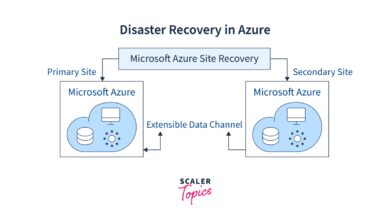
Organizations use VNets to replicate systems across regions for business continuity.
- Deploy identical VNets in different geographic regions.
- Use VNet peering or global VPCs to synchronize data.
- Automate failover using load balancers and health checks.
For instance, a retail company might run its primary application in US-East and a standby version in US-West, connected via VNet peering.
Best Practices for Managing Virtual Networks (VNet)
Proper design and management of Virtual Networks (VNet) are crucial for performance, security, and cost-efficiency.
Plan IP Addressing Strategically
Before deploying a VNet, plan your IP address space carefully to avoid conflicts and ensure scalability.
- Use non-overlapping CIDR blocks for different environments (dev, test, prod).
- Reserve space for future growth (e.g., 10.0.0.0/8 for large enterprises).
- Avoid overlapping with on-premises networks in hybrid setups.
Tools like IP Address Management (IPAM) can help track allocations across VNets.
Implement Network Segmentation
Divide your VNet into subnets based on function, sensitivity, or environment.
- Separate production and development workloads.
- Isolate public-facing services from internal systems.
- Use micro-segmentation for fine-grained control.
This minimizes lateral movement in case of a breach.
Monitor and Audit Network Traffic
Continuous monitoring helps detect anomalies and ensure compliance.
- Enable flow logs (e.g., VPC Flow Logs in AWS).
- Use SIEM tools to analyze traffic patterns.
- Regularly audit security group rules and route tables.
Azure Network Watcher and AWS CloudTrail are valuable tools for visibility and troubleshooting.
Challenges and Limitations of Virtual Networks (VNet)
Despite their advantages, Virtual Networks (VNet) come with certain challenges that must be addressed.
Complexity in Large-Scale Deployments
As organizations grow, managing multiple VNets across regions and accounts can become complex.
- Peering configurations can lead to routing loops if not managed properly.
- Shared VPCs require careful permission management.
- Multi-cloud VNets increase operational overhead.
Automation through Infrastructure as Code (IaC) tools like Terraform or AWS CloudFormation can help reduce errors.
Cost Management
While VNets themselves are often free, associated services can incur costs.
- Data transfer between regions or availability zones is charged.
- Using NAT gateways, firewalls, or transit gateways adds to the bill.
- Monitoring and logging generate additional expenses.
Regular cost reviews and tagging strategies help optimize spending.
Security Misconfigurations
Human error remains a top risk in VNet management.
- Overly permissive security groups can expose systems.
- Publicly accessible databases due to misconfigured subnets.
- Forgotten test environments with open ports.
Automated security scanning and policy enforcement (e.g., using AWS Config or Azure Policy) can prevent such issues.
Future Trends in Virtual Networks (VNet)
The evolution of cloud computing continues to shape the future of Virtual Networks (VNet), introducing new capabilities and paradigms.
Integration with Zero Trust Architecture
Traditional network perimeters are dissolving. Zero Trust models require continuous verification, regardless of location.
- VNets are evolving to support identity-based access controls.
- Micro-segmentation and software-defined perimeters are becoming standard.
- Integration with Identity and Access Management (IAM) systems is deepening.
Google’s BeyondCorp and Microsoft’s Azure Zero Trust framework exemplify this shift.
AI-Driven Network Management
Artificial intelligence is being used to optimize network performance and detect threats.
- Predictive analytics for bandwidth usage.
- Automated anomaly detection in traffic patterns.
- Self-healing networks that reroute traffic during outages.
AWS Network Manager and Azure AI services are beginning to incorporate these features.
Expansion of Edge Networking
With the rise of IoT and 5G, VNets are extending to the edge of the network.
- Edge VNets process data closer to the source.
- Reduced latency for real-time applications.
- Support for distributed cloud architectures.
Amazon Wavelength and Azure Edge Zones are examples of this trend.
What is a Virtual Network (VNet)?
A Virtual Network (VNet) is a logically isolated network in the cloud that enables secure communication between cloud resources. It functions like a traditional network but is software-defined and highly scalable.
How do VNets improve security?
VNets enhance security through network segmentation, private IP addressing, and integration with firewalls and security groups. They isolate workloads and control traffic flow using defined rules.
Can VNets connect to on-premises networks?
Yes, VNets can connect to on-premises networks using technologies like VPNs, AWS Direct Connect, Azure ExpressRoute, or Google Cloud Interconnect, enabling hybrid cloud setups.
Are Virtual Networks (VNet) free?
The VNet itself is typically free, but associated services like data transfer, NAT gateways, or firewalls may incur costs depending on the cloud provider.
What is VNet peering?
VNet peering allows two VNets to be connected, enabling resources in different VNets to communicate as if they were on the same network, even across regions or subscriptions.
Virtual Networks (VNet) are the cornerstone of modern cloud infrastructure, providing the foundation for secure, scalable, and efficient network environments. From enabling hybrid cloud connectivity to supporting zero trust security models, VNets are indispensable in today’s digital landscape. By understanding their components, benefits, and best practices, organizations can leverage VNets to build resilient and future-ready architectures.
Further Reading: